Tech Library

Summary:
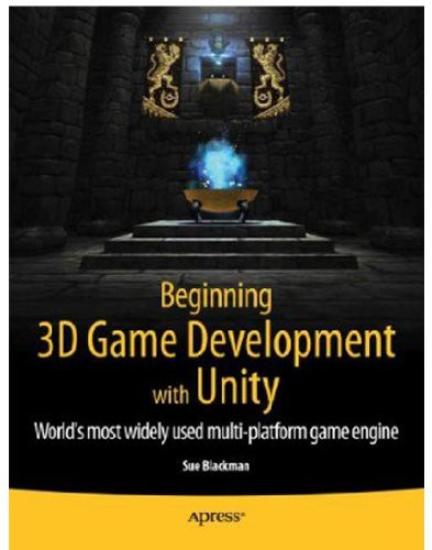
Beginning 3D Game Development with Unityis perfect for those
who would like to come to grips with programming Unity. You may
be an artist who has learned 3D tools such as 3ds Max, Maya, or
Cinema 4D, or you may come from 2D tools such as Photoshop and
Illustrator. On the other hand, you may just want to
familiarize yourself with programming games and the latest
ideas in game production. This book introduces key game
production concepts in an artist-friendly way, and rapidly
teaches the basic scripting skills you'll need with Unity. It
goes on to show how you, as an independent game artist, can
create casual interactive adventure games in the style of
Telltale's Tales of Monkey Island, while also giving you a firm
foundation in game logic and design. The first part of the book
explains the logic involved in game interaction, and soon has
you creating game assets through simple examples that you can
build on and gradually expand. In the second part, you yourself
will build the foundations of a point-and-click style
first-person adventure game-including reusable state management
scripts, load/save functionality, a robust inventory system,
and a bonus feature: a dynamically configured maze and
mini-map. With the help of the provided 2D and 3D content,
you'll learn to evaluate and deal with challenges in bite-sized
pieces as the project progresses, gaining valuable
problem-solving skills in interactive design. By the end of the
book, you will be able to actively use the Unity 3D game
engine, having learned the necessary workflows to utilize your
own assets. You will also have an assortment of reusable
scripts and art assets with which to build future games. What
you'll learn How to build interactive games that work on a
variety of platforms Take the tour around Unity user interface
fundamentals, scripting and more Create a test environment and
gain control over functionality, cursor control, action
objects, state management, object metadata, message text and
more What is inventory logic and how to manage it How to handle
3D object visibility, effects and other special cases How to
handle variety of menus and levels in your games development
How to handle characters, scrollers, and more How to create or
integrate a story/walkthrough Who this book is for Students or
artists familiar with tools such as 3ds Max or Maya who want to
create games for mobile platforms, computers, or consoles, but
with little or no experience in scripting or the logic behind
games development. Table of Contents Exploring the Genre Unity
UI-Basics and Getting Started Scripting-Getting your Feet Wet
Terrain Generation-Creating a Test Environment Navigation and
Introduction to Functionality Cursor Control Action Objects
Managing State Object Metadata Message Text Inventory Logic
Managing the Inventory Finishing the Basic Functionality
Getting Down to the Game Maze and Final Sequence Menus and
Levels Beyond the Basics Appendix A: Shader Graphs Appendix B:
Keyboard Key Names Appendix C: Final Sequence Outline